The AI-powered Document Management System is a powerful, all-in-one platform designed to simplify how organizations handle, store, and share documents. It supports a wide range of file types including Microsoft Office documents, PDFs, images, audio, video, and more, with built-in preview capabilities. Seamlessly integrated with Amazon S3 and local storage, it ensures flexibility and scalability in document storage. Users can categorize documents, manage metadata, track versions, archive inactive files, and even request documents securely from external parties. The system also includes detailed audit trails to maintain transparency across all actions such as creation, updates, sharing, downloads, and more.
Built with productivity and compliance in mind, the platform offers OpenAI-powered document generation, deep text-based search, secure sharing via encrypted links, and automated reminders for important deadlines. With role-based access control, email integration, multilingual support, and a fully customizable interface, it adapts to diverse organizational needs. Whether you're generating content, managing compliance, or collaborating across departments, this system provides the tools and automation needed to streamline your entire document lifecycle—securely and efficiently.
New Feature Added:
https://documents.mlglobtech.com
Admin UserUser Name : admin@gmail.com Password : admin@123 |
Employee UserUser Name : employee@gmail.com Password : employee@123 |
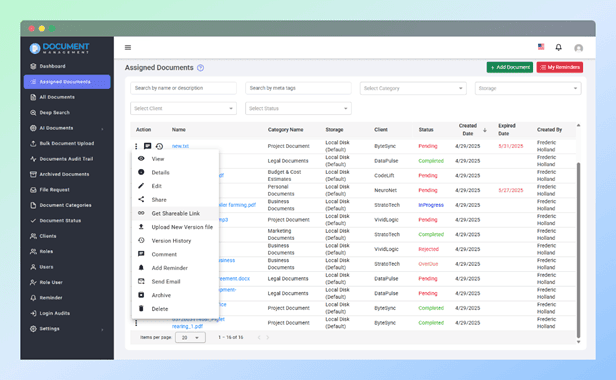
It offers comprehensive support for a wide range of file formats commonly used across industries. This ensures that users can upload, store, preview, and manage documents without needing to convert them externally.
Users can add multiple custom metadata fields to each document, such as:
Metadata is searchable and filterable, helping users quickly locate specific documents.
Each document can include a description, allowing users to provide context, add references, or include important notes.
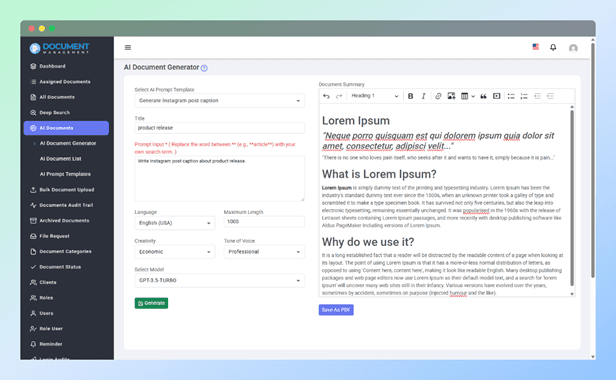
System integrates seamlessly with OpenAI to help you generate high-quality documents instantly using AI. Whether you need to draft a business email, write a blog post, generate social media content, or create professional testimonials — everything can be produced with just a few clicks.
Before generating content, users can fine-tune the output with the following options:
The generation happens in real-time, with a live streaming view showing the content as it's being generated — providing an engaging and transparent experience.
The system offers ready-to-use AI templates tailored for common business scenarios — making it even easier to generate structured content quickly without needing to write prompts manually.
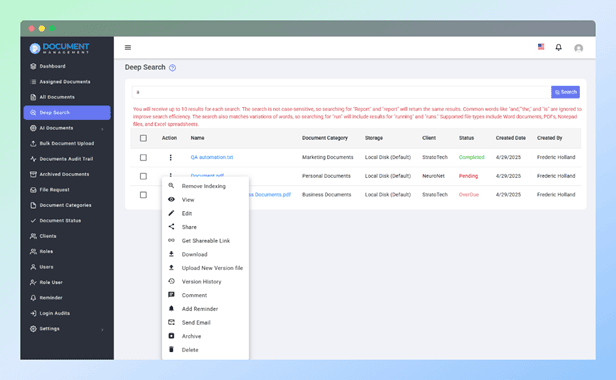
Document Management system includes a powerful Deep Search feature that enables full-text search across a wide range of text-based document types. Unlike basic file name searches, this allows users to find specific keywords and content located inside documents — making document retrieval faster and more accurate.
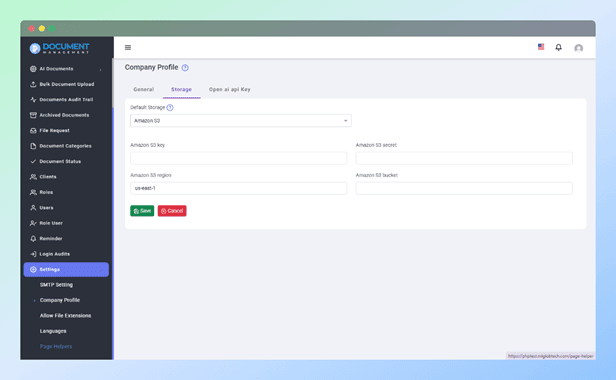
It supports seamless integration with Amazon S3, one of the most trusted and scalable cloud storage solutions. This integration allows users to securely store documents in the cloud while ensuring fast and reliable access from anywhere.
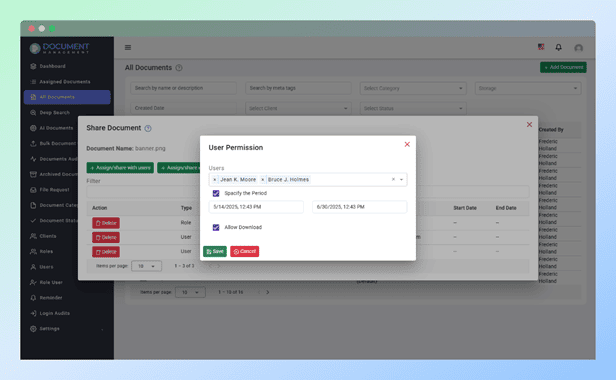
Document Management System includes a robust Secure Document Sharing feature that enables controlled access to documents based on users or roles. This ensures that sensitive files are only visible to the right people, for the right duration, with the right permissions.
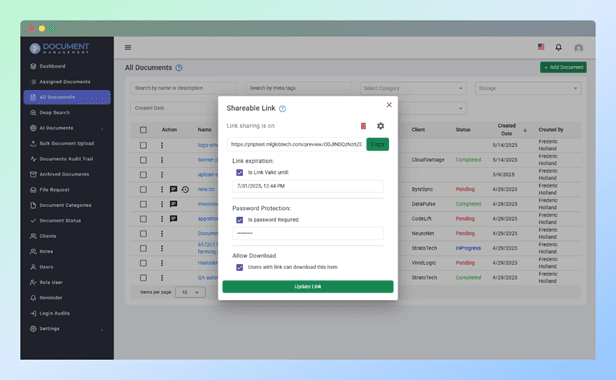
Easily and securely share documents with anyone using Encrypted Links, without requiring the recipient to be a registered user. This feature provides complete control over link access, expiration, and security.
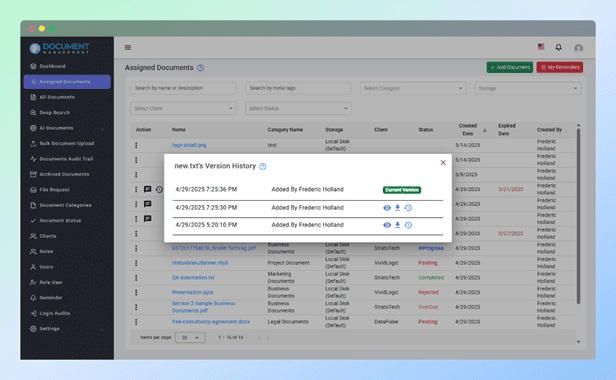
It provides comprehensive Version Control for every document, allowing users to maintain and manage multiple versions of the same file over time. This ensures transparency, accountability, and flexibility in document updates.
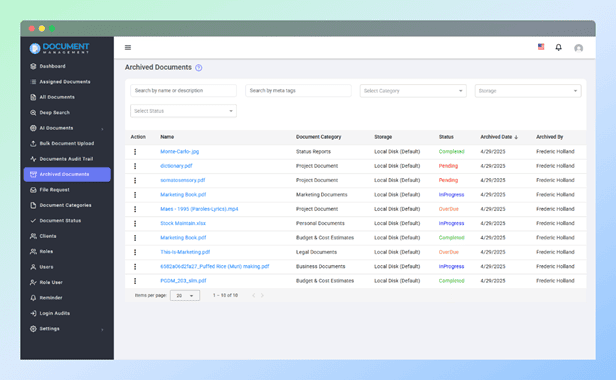
The Document Management System includes a powerful Archiving feature that allows users to safely store documents that are no longer active, without deleting them permanently. This helps keep your workspace clean while preserving important data for future reference.
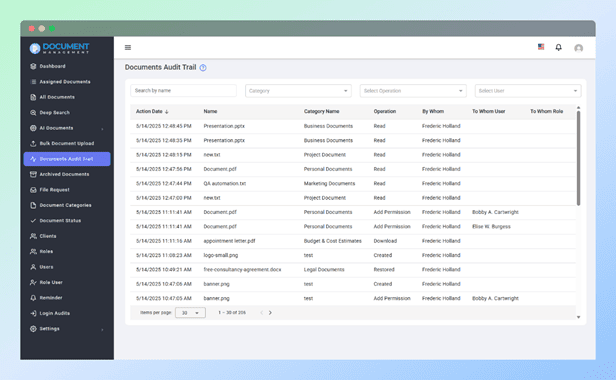
Document Management System tracks and logs every action performed on each document, ensuring comprehensive and transparent audit trails. This feature allows you to monitor document activity, providing an accurate history of interactions and changes to ensure accountability and compliance.
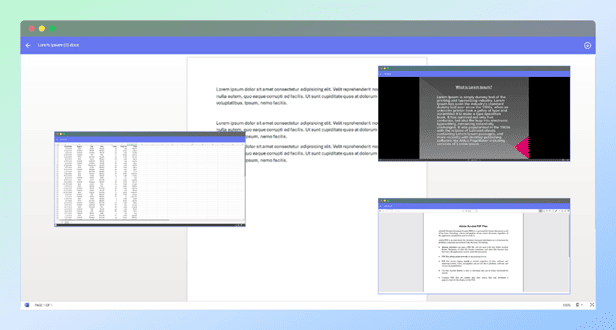
The Document Management System includes a powerful Built-In Preview feature that allows users to view documents directly within the system—without needing to download them first. This greatly enhances convenience and efficiency, especially for quick reviews and approvals.
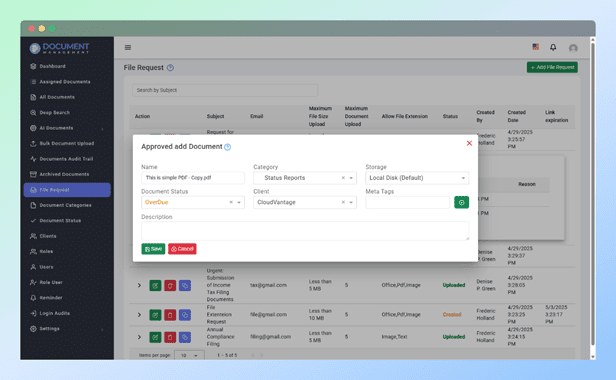
Document Management System makes it easy to collect files from external users by sending secure, customizable upload links. This eliminates the need for email attachments and ensures a safe and controlled way to receive documents from clients, vendors, or partners.
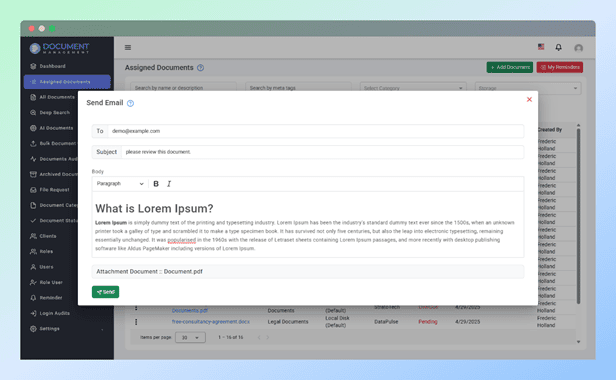
The Document Management System allows users to send documents directly via email without needing to download and attach files manually. This feature streamlines communication and ensures secure, traceable delivery of documents to internal or external recipients.
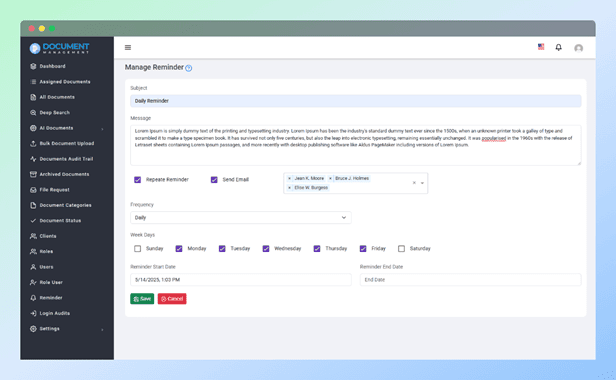
The Document Management System includes a powerful Automated Reminder feature designed to help you stay on top of critical tasks, deadlines, and document-related activities. With flexible scheduling options and timely notifications, this tool enhances productivity and ensures nothing is overlooked.
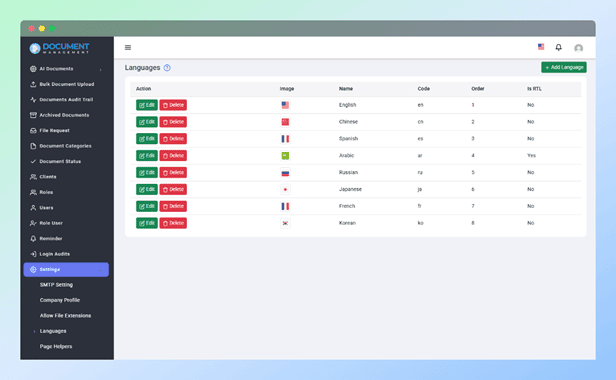
The Document Management System offers full multi-language support, allowing you to create a user experience that matches your preferred languages and regional needs. Whether you're supporting a global team or serving multilingual clients, system provides the flexibility to manage languages seamlessly.
With Document Management System, you receive the full source code to customize and extend the system as needed for your organization. Along with the code, you will also get a build version optimized for the MySQL database provider, ensuring seamless integration with your existing infrastructure. This comprehensive package gives you the flexibility to adapt the system to your unique business requirements, add custom features, or perform any modifications to the codebase.
In addition to the core features already outlined, you will gain access to many more capabilities, making this system a versatile solution for managing your documents securely and efficiently. Whether you need to expand document functionality, integrate additional services, or automate processes, the system is built with scalability and customizability in mind.
https://docs.mlglobtech.com/doc-mgt
https://documents.mlglobtech.com
Admin UserUser Name : admin@gmail.com Password : admin@123 |
Employee UserUser Name : employee@gmail.com Password : employee@123 |
14 May 2025: 4.0.0
    New: Open AI Integration
    New: Bulk Document Upload
    New: Document Status module.
    Fix: Bug Fixes & UI improvements.
    New: Detailed Document View.
------------------------
19 April 2025: 3.1.0
    New: Client module
    New: Request a file from non system user.
    New: Update laravel version
    New: Option to allow dynamicaly document type.
    New: Operation filter in audit trial
    Fix: Deep search permission issue
    Fix: Email Smtp Setting issue.
    New: All the permission to assign documents.
    Fix: Enable signed pdf preview
    Fix: UI improvements.
    Fix: Skip indexing in case of file size more than 3 mb.
------------------------
24 Oct 2024: 3.0.0
   New: Deep Document Content Search
   New: Page help text for each pages
   Fix: Office Viewer with public sharing
   Fix: Reminder notification
----------------------
22 Sept 2024 : V2.0.4
    New: Share document via secure link.
    New: Forgot password feature.
----------------------
10 May 2024 : V2.0.3
    New: Archive Document Support.
    New: RTL support.
----------------------
27 March 2024 : V2.0.2
    New: Amazon S3 Support.
    New: Language support for reminder frequency and document audit trail.
    Fix: extension issue while uploading he document.
    Fix: the pagination issue.
    Fix: Parent child category issue in edit document.
    Fix: document audit trail on delete documents.
    Fix: Time zone issue in login audit.
    Fix: document search on Parent Category.
----------------------
27 Oct 2023 : V2.0.1
    Bug Fixes and UI improvements.
----------------------
4 Aug 2023 : V2
    New: Add new language support.
    New: Change Logo, Login Banner Image and title support.
    Fix: date format issue.
    Fix(breaking): fixed the email sending issue. Please make sure you update the smtp setting after finishing the update.
    Fix: delete user issue.
----------------------
1 June 23 : V1.0
    Initial Release